 EN
EN  ZH
ZH 
Features of a Tech-Ready Dental Chair for Clinics

The Foundation of a Tech-Ready Chair: Integrated Cabling and Utilities
What does it mean for a dental chair to be ‘tech-ready’? This article outlines the essential features, from integrated cabling to monitor mounts, that future-proof your investment and support durable, long-term performance in a busy clinic. A truly tech-ready chair is more than just a piece of furniture with a bracket attached; it is a central hub designed for seamless technology integration, maximum uptime, and long-term reliability. For clinic owners and procurement managers, focusing on these core functional features delivers a far greater return on investment than superficial aesthetics.
A tech-ready chair integrates power, data, and structural support for modern dental tools, reducing downtime, enhancing practitioner ergonomics, and improving patient communication.
I’ve seen many clinics struggle with wiring nightmares. Handpieces, monitors, and intraoral cameras are often added as afterthoughts, resulting in a tangled mess of cables zip-tied to the chair. This approach is not only unsightly but also dangerous. It creates trip hazards for staff, and worse, leads to premature wire fatigue and failure as cables are repeatedly stressed at pivot points. A frayed wire or a loose connection can bring an entire operatory to a halt, leading to cancelled appointments and costly emergency repairs.
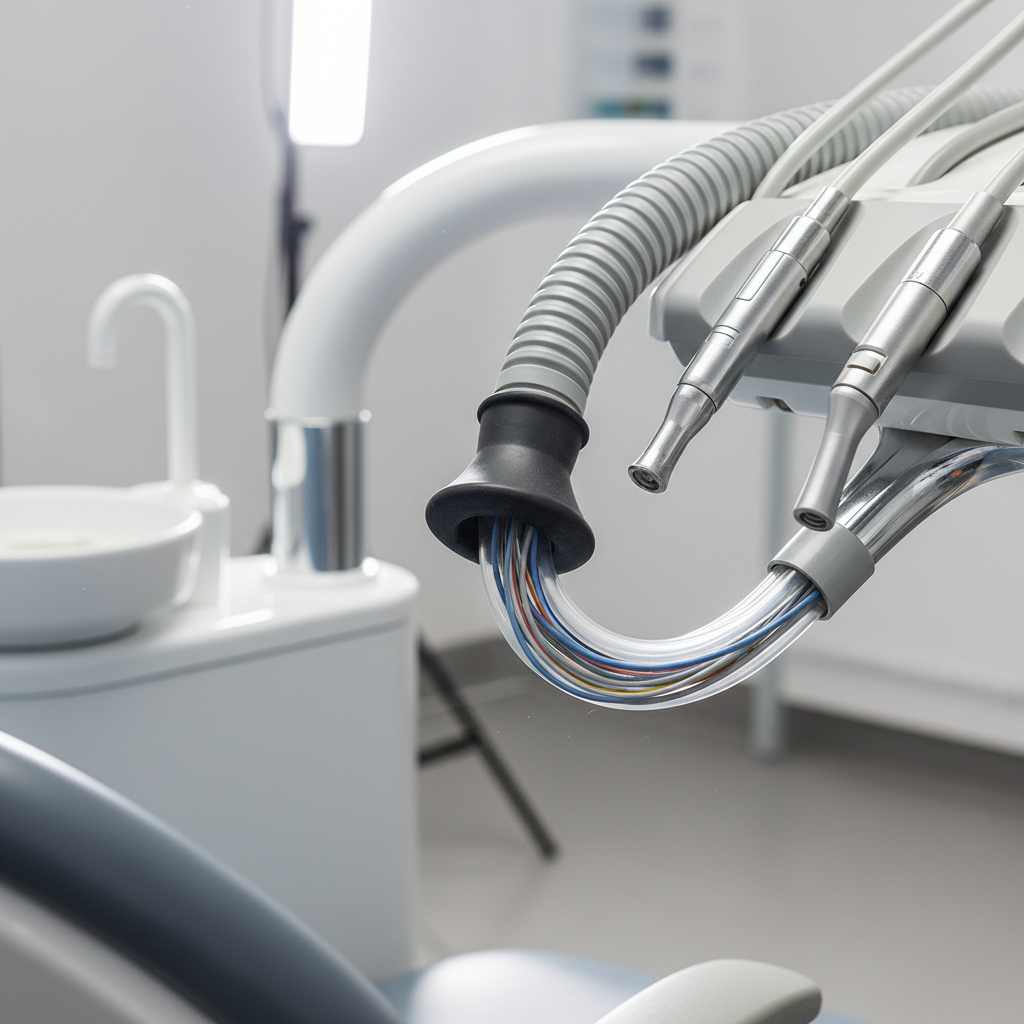
The solution is a design that anticipates these needs from the ground up. Modern, durable chairs route all power and data lines through a dedicated flexible conduit. This protects the wiring from physical damage, pinching, and fluid ingress. When evaluating a chair, look for service loops—an extra 30–50 cm of cable—at all major pivot points. This slack prevents the wires from being pulled taut and stretched as the chair is adjusted, which is a primary cause of internal breakage. Furthermore, every joint and connection point should have robust strain relief to protect the delicate internal pins from stress during daily use.
Beyond just protecting cables, a tech-ready chair provides a centralized utility hub. This means integrated and easily accessible connections for air, water, suction, and low-voltage power, eliminating the need for external boxes and hoses. This streamlined design is not just about efficiency; it aligns with the principles of quality management systems like ISO 13485:2016, which mandates that medical devices are designed for safe and effective performance. A well-designed utility hub minimizes potential points of failure and simplifies maintenance, contributing directly to a safer and more reliable clinical environment.
Seamless Technology Integration: Mounts, Monitors, and Digital Workflow
A common misconception is that making a dental chair “tech-ready” simply means bolting on a monitor arm. This approach often fails because it doesn’t account for the chair’s underlying structural support or cable management. A true tech-ready chair features mounting points that are integrated directly into the chassis, ensuring they can safely support the weight and movement of modern displays and other devices without compromising the chair’s stability.
When it comes to monitor mounts, ergonomics are paramount for the practitioner. A poorly positioned screen can cause chronic neck and back pain, impacting a clinician’s long-term health. As noted in our guide, The Key to a Healthy Dental Career: Chair Ergonomics, proper posture is essential. Look for monitor arms with a horizontal reach of at least 350–500 mm, which provides the flexibility to position the screen for optimal viewing without forcing the clinician into an awkward posture. The mount should also be compatible with VESA 75×75 mm and 100×100 mm standards to accommodate a wide range of monitors. The ultimate goal is to position the monitor so the top of the screen is at or slightly below eye level when seated, minimizing neck strain.
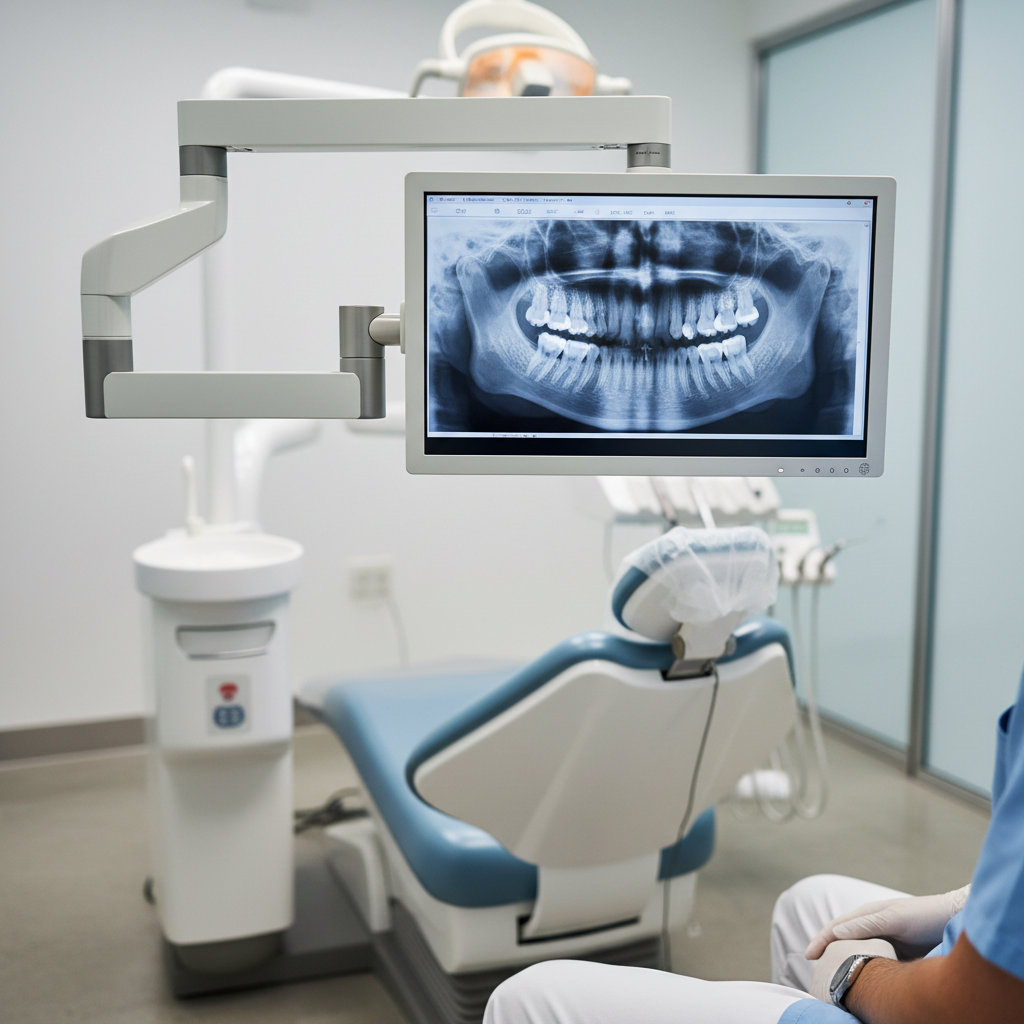
Beyond monitors, a tech-ready chair serves as the command center for a fully digital workflow. This includes dedicated, structurally sound mounting points for essential tools like intraoral cameras, digital scanners, and curing lights. When these tools are integrated directly into the chairside console, they are always within reach and ready for use. This not only streamlines clinical procedures but also significantly enhances patient education. Displaying a live feed from an intraoral camera on a large, well-positioned monitor makes it far easier to explain diagnoses and treatment plans to patients, improving case acceptance and building trust.
Durability and Reliability: The Non-Negotiables for Clinic Operations
While technology integration is crucial, it must be built on a foundation of robust, reliable construction. In a busy clinic, the dental chair is one of the hardest-working pieces of equipment, and its durability directly impacts your bottom line. A key specification to verify is the patient weight capacity. A chair rated for at least 150 kg (approximately 330 lbs) ensures you can safely and comfortably accommodate the vast majority of patients without straining the chair’s motors or structural components.
Infection control is another critical consideration. The chair’s upholstery must withstand frequent cleaning with surface disinfectants without degrading. Look for seamless or minimally seamed upholstery made from high-quality, non-porous materials. This is essential for meeting the stringent quality control standards required by regulations such as the FDA 21 CFR Part 820, which governs medical device manufacturing and material quality. The easier the chair is to clean, the lower the risk of cross-contamination and the more efficient your team’s turnover process becomes.
Perhaps the most overlooked aspect of long-term value is maintainability. Even the most durable chair will eventually require service. A modular design can be the difference between a minor inconvenience and a full day of cancelled appointments. I always advise clinics to choose chairs where common failure points—such as the foot pedal, control board, or lift actuators—are designed as modular, plug-and-play components. Clinics that keep two or three of these common spares on hand can often perform a repair in minutes, significantly reducing downtime. During installation, a good service engineer will document cable pinouts and label connectors. This simple step can save hours of diagnostic time down the road, a practical tip that is invaluable for maintaining operational readiness.
A Practical Checklist for Your Next Purchase
To help you make an informed decision, we’ve developed a checklist that summarizes the key features of a truly tech-ready dental chair. Use this table to compare models and ensure your next investment is built for the long haul.
| Feature | Why It Matters | What to Look For |
|---|---|---|
| Integrated Cable Management | Prevents wire fatigue, reduces clutter, and improves safety. | Internal flexible conduit; 30-50 cm service loops at pivot points; strain relief at connectors. |
| Structurally Supported Mounts | Safely supports monitors and devices without tipping or strain. | Mounts integrated into the chair chassis; VESA 75/100 compatibility. |
| Ergonomic Monitor Arm | Reduces clinician neck and back strain for long-term career health. | 350-500 mm horizontal reach; allows for eye-level screen placement. |
| Patient Weight Capacity | Ensures safety and long-term durability of the lift mechanism. | Rated for at least 150 kg (330 lbs). |
| Disinfectant-Resistant Upholstery | Crucial for infection control and long-term aesthetic appeal. | Seamless or minimally seamed, non-porous vinyl or equivalent material. |
| Modular Spare Parts | Dramatically reduces downtime and service costs. | Availability of user-replaceable foot pedals, control boards, and actuators. |
| Adjustable Ergonomics | Accommodates different patient sizes and procedures. | Backrest recline of 45-70°; seat-to-headrest adjustment of 100-150 mm. |
| Handpiece Reach | Prevents tugging and strain during use. | Test with a 15-20 cm safety margin to ensure full range of motion. |
Wrapping Up: Future-Proofing Your Practice
Choosing a new dental chair is a significant capital investment. By looking past flashy features and focusing on the core principles of a “tech-ready” design, you can secure a long-term asset that enhances efficiency, ensures reliability, and supports the health of your clinical team. A chair with thoughtful cable management, robust structural support for technology, and a modular, maintainable design is not just a purchase—it’s a strategic investment in the future of your practice. It ensures that as dental technology continues to evolve, your operatory is ready to adapt without requiring a costly and disruptive replacement.
Disclaimer: This article is for informational purposes only and does not constitute professional medical or financial advice. The information provided is not intended to be a substitute for consultation with a qualified professional. Clinic owners should verify that all equipment complies with local and national regulatory standards, such as those set by the European Union’s Medical Device Regulation (MDR).
References
About the Author