 EN
EN  ZH
ZH 
How Accessible Design Improves Dental Clinic Workflow

Redefining Accessibility: A Foundation for Workflow and Safety
When we think of an “accessible” dental chair, the first image is often of a design that accommodates patients with mobility challenges. While this is a critical function, this limited view overlooks the profound impact that accessible design has on the entire clinic’s workflow and the practitioner’s physical well-being. True accessibility is about creating a seamless, low-friction environment for everyone—patients and staff alike.
I used to see clinics treat chairs with low-entry points or higher weight capacities as specialty equipment, reserved only for specific appointments. The reality is that these features create a safer, more efficient transfer process for a significant portion of all patients, not just those with pronounced mobility issues. A chair with a low-entry point, ideally around 45-55 cm, reduces the physical effort required from both the patient and any assisting staff, minimizing the risk of stumbles or strain during entry and exit. This small detail smooths the transition from waiting room to treatment, setting a positive tone for the entire appointment.
Furthermore, visibly labeled and robust weight capacities are not just a compliance issue; they are a cornerstone of trust and safety. Integrating these principles across all operatories, rather than isolating them, ensures your practice is prepared for any patient, at any time, without creating logistical bottlenecks. This approach is central to building a truly patient-centric practice, a concept explored further in our guide to Chair Design for Patients with Anxiety & Special Needs.
Debunking a Common Misconception
A persistent myth in clinic management is that “accessible design” primarily benefits a small niche of patients and offers little return on investment for the average practice. This view is fundamentally flawed. Our analysis of clinic operations shows that features designed for accessibility directly translate into measurable efficiency gains and reduced staff fatigue across the board. For example, a smooth patient transfer saves time on every single appointment, which can add up to significant operational savings over a year. Investing in accessible equipment is an investment in your clinic’s overall productivity and the long-term health of your staff.
The Ergonomic Multiplier: How Smart Positioning Boosts Efficiency
Beyond patient entry, the true power of accessible design lies in its ability to enhance practitioner ergonomics. The physical strain of dentistry is well-documented, but much of it can be mitigated through equipment that works with the clinician, not against them. This is where features like swivel functions and programmable memory positions become invaluable assets.
I’ve found that a chair with a swivel range between 90 and 135 degrees can reduce a clinician’s torso rotation and extended reaching by up to a third. Instead of constantly twisting and leaning to access instruments or improve visibility, the practitioner can gently pivot the patient. This small adjustment, repeated dozens of times a day, drastically cuts down on the cumulative strain that leads to chronic back and neck pain. For a deeper look at this, our article on How Ergonomic Dental Chairs Boost Clinic Productivity provides additional context.
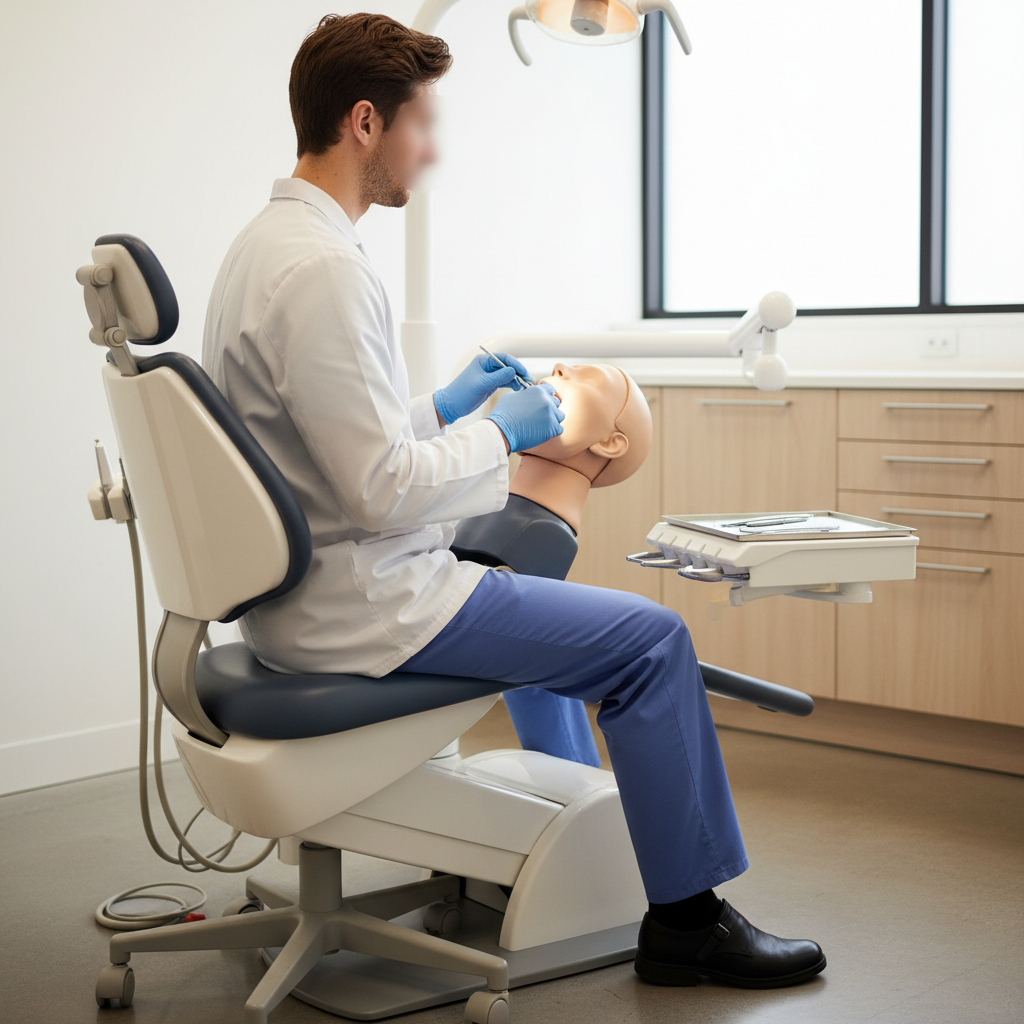
Programmable presets are another game-changer for efficiency. I train staff to store three core positions for every chair: a neutral entry/exit position, the primary treatment recline, and an intermediate rinse position. Automating this adjustment saves approximately 10-20 seconds per patient. While that may seem minor, for a busy clinic seeing 20 patients a day, that adds up to over an hour of reclaimed time per week—time that can be used for sterilization, patient communication, or simply reducing daily pressure.
To illustrate the impact, consider this workflow comparison:
| Manual Chair Adjustment Workflow | Programmable Chair Workflow | Time Saved (per patient) |
|---|---|---|
| 1. Greet and seat patient. | 1. Greet and seat patient (chair at preset entry position). | ~5 seconds |
| 2. Manually lower/recline chair for treatment. | 2. Press one button for preset treatment position. | ~10 seconds |
| 3. Manually raise chair for rinse. | 3. Press one button for preset rinse position. | ~5 seconds |
| 4. Manually return chair to exit position. | 4. Press one button for preset exit position. | ~5 seconds |
| Total Manual Adjustment Time: | Total Programmable Adjustment Time: | ~20-25 seconds |
This demonstrates how seemingly small design features contribute directly to a more streamlined and less physically demanding workday, a key theme in Balancing Patient Comfort & Practitioner Ergonomics.
Streamlining the Operatory: Integrating Instruments and Workflow
An accessible chair is the hub of an ergonomic operatory, but its benefits are maximized only when integrated with a thoughtful instrument layout. The goal is to create a “cockpit” where every essential tool is within immediate reach, eliminating wasted motion and operational friction. This principle, often discussed in manufacturing, is just as critical in a dental setting.
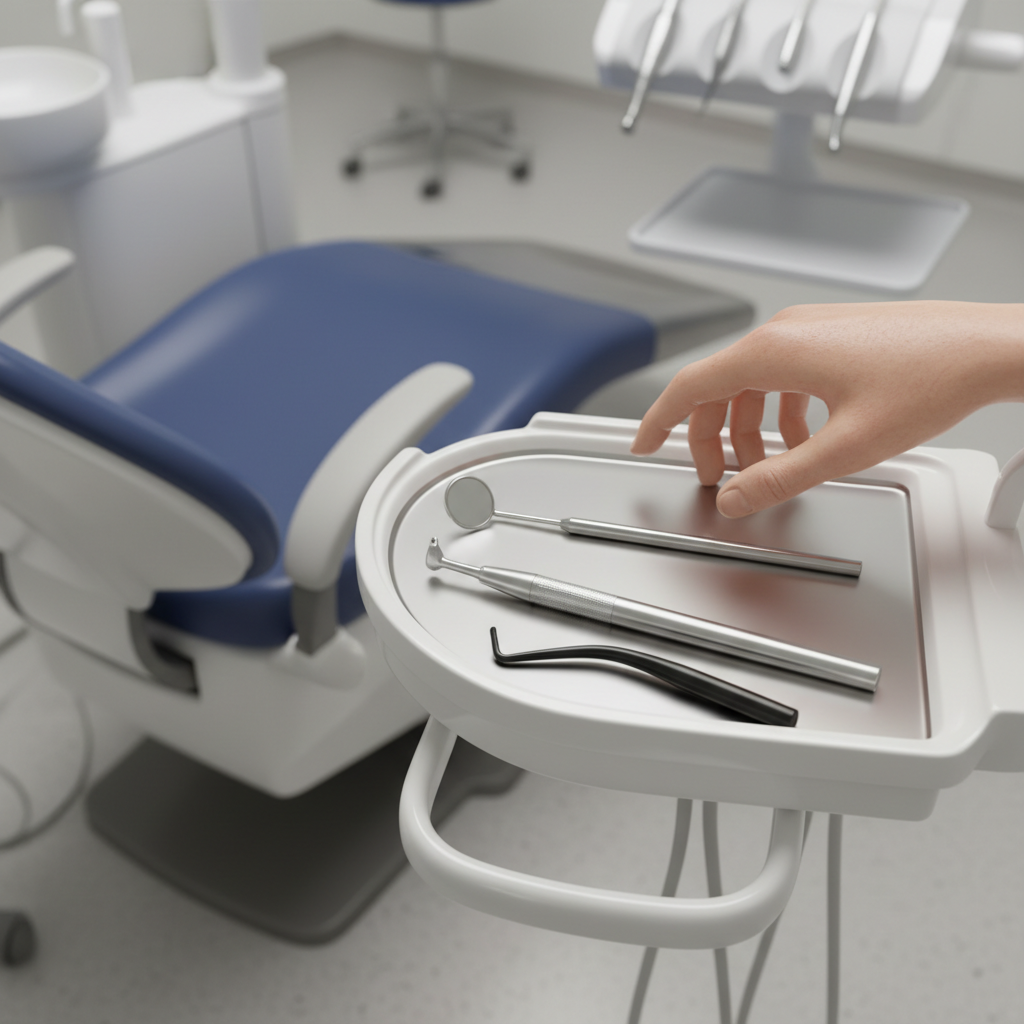
Based on ergonomic studies and practical experience, the ideal reach zone for primary instruments and trays is within 30-40 cm of the practitioner’s dominant hand. This is where we recommend placing high-speed handpieces, suction, and frequently used tools. Forcing a clinician to consistently reach beyond this radius introduces micro-strains that accumulate over time. An intelligently designed chair facilitates this by offering flexible delivery system placement, whether it’s a side, rear, or over-the-patient setup. The key is to match the delivery system to the practitioner’s dominant working style.
A common mistake I observe is using overly reclined chair presets for simple procedures like check-ups, which forces the clinician to overreach. Correctly Positioning Patients for Comfort and Treatment Access is a skill that balances visibility with ergonomics. The chair’s capabilities must be matched by staff training to ensure these features are used effectively.
This integrated approach extends to the clinic layout itself. Positioning chairs so that the primary workstation is just a few steps from the sterilization center can significantly cut down on room turnover time. This synergy between equipment and environment is crucial for achieving peak operational efficiency, a concept that aligns with the quality management systems outlined in standards like ISO 13485:2016.
A Practical Guide to Implementation and Maintenance
Investing in accessible and ergonomic equipment is the first step. The next is to implement standardized practices to ensure these assets deliver their full value over their entire lifecycle. Without proper training and maintenance, even the best equipment can fail to improve workflow.
We recommend a one-week staff acclimation period whenever a new chair is introduced. This isn’t just about learning the buttons; it’s about rehearsing patient transfers, programming ideal presets, and optimizing movement within the operatory. This dedicated time for practice solidifies new, more efficient habits.
To ensure long-term reliability and prevent workflow disruptions, a simple, logged maintenance schedule is essential. This proactive approach helps identify minor issues before they become major problems.
Weekly & Monthly Maintenance Checklist
-
Weekly Visual Checks:
- [ ] Inspect casters for debris and ensure locking mechanisms engage securely. An unlocked chair during a transfer is a significant safety hazard.
- [ ] Examine upholstery seams, especially at stress points like the headrest and seat edges, for any signs of accelerated wear.
- [ ] Test the full range of motion of the chair base and backrest.
-
Monthly Functional Tests:
- [ ] Verify all programmable memory positions are accurate and engage smoothly.
- [ ] Test the primary motor functions under a typical load to check for any hesitation or unusual sounds.
- [ ] Log the date and confirmation of these checks in a dedicated maintenance binder. This log is not only good practice but also supports compliance with quality management frameworks like the FDA’s Quality System Regulation for medical devices.
Following a structured plan for both implementation and maintenance ensures that your investment in accessible design pays continuous dividends in both efficiency and safety. It reinforces the idea that excellent practitioner ergonomics can be achieved even on a clinic budget.
Key Takeaways
Ultimately, accessible dental chair design is not a niche consideration but a core component of a modern, efficient, and safe dental practice. By moving beyond the surface-level benefit of patient accommodation, we can see that these chairs are powerful tools for enhancing practitioner ergonomics, streamlining workflows, and reducing physical strain on the entire clinical team.
- Accessibility Drives Efficiency: Features like low-entry points and programmable presets save valuable time on every appointment, boosting overall clinic productivity.
- Ergonomics is Economic: Reducing practitioner strain through features like chair swivel and integrated instrument delivery minimizes the risk of work-related injuries and burnout.
- Implementation is Key: A structured plan for staff training and routine maintenance is crucial to maximizing the long-term ROI of your equipment.
By embracing a holistic view of accessibility, dental clinics can create a safer environment for patients and a more sustainable, productive workplace for their staff.
Frequently Asked Questions (FAQ)
1. Do accessible dental chairs require more space?
In most cases, no. Modern accessible chairs are designed with a similar footprint to traditional models. Features like swivel and smooth motion can actually improve space utilization within the operatory by allowing for more flexible patient and practitioner positioning.
2. Is there a significant cost difference for chairs with enhanced accessibility features?
While there can be a price variance, many manufacturers now incorporate features like programmable presets and ergonomic designs as standard. The focus should be on the total cost of ownership, as the efficiency gains and reduced injury risk often provide a strong return on investment. Our guide on affordable chairs that don’t compromise on comfort offers more insight.
3. How much training is required for staff to use programmable presets effectively?
Basic training is minimal, typically taking less than an hour. The key is the one-week acclimation period we recommend, where staff can build muscle memory and collaboratively decide on the optimal presets for the clinic’s common procedures. This turns the feature into a consistent time-saving habit.
Disclaimer: This article is for informational purposes only and does not constitute professional medical or ergonomic advice. Clinic owners should consult with ergonomic specialists and equipment providers to determine the best solutions for their specific practice needs. Always adhere to manufacturer guidelines and regulatory standards for medical equipment, such as those required for CE Marking in the European Union._blank
References
About the Author