 EN
 ZH

Electric Dental Chair Comparison: How to Evaluate Movement, Controls, Comfort, and Maintenance

Choosing an electric dental chair involves more than comparing prices or counting features. A clinic needs equipment that fits its procedures, room layout, operators, and patients; a distributor must also consider configuration flexibility and support after delivery. Use specifications and hands-on demonstrations to verify product claims before ordering. For distributors, a documented comparison also makes it easier to explain configuration choices to clinic customers.
What Should Buyers Compare in an Electric Dental Chair?
Start by defining the work the chair must support. Different clinics use similar equipment differently, so compare models against defined requirements.
Clinical use and room requirements
List the procedures performed most often, daily workload, number of operators, and essential instruments. Measure room clearance for the chair, delivery system, assistant position, and patient access. Confirm local utilities, installation conditions, and documentation with the supplier.
Record these basics before requesting quotations:
- Main procedures and expected daily use
- Number and roles of operators
- Room dimensions and utility connections
- Required accessories and available budget
How to Evaluate Chair Movement and Controls
Evaluate movement by testing the full operating sequence, not by relying on motor count or brochure language. The chair should reach the positions required by the clinic, move predictably, and remain easy to control during treatment.
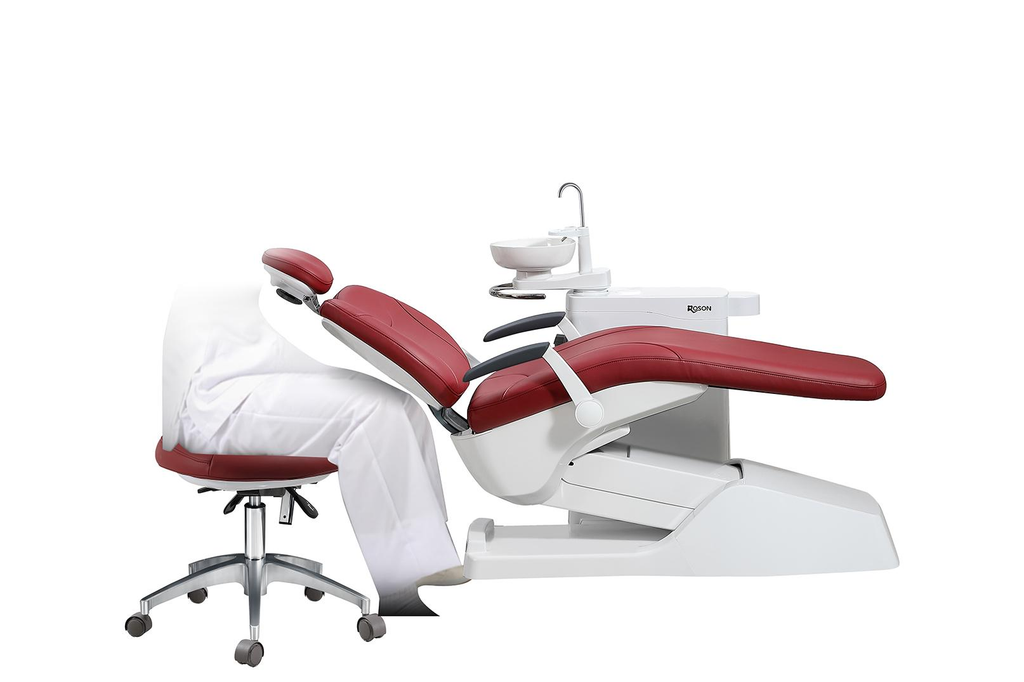
Positioning and operating interface
During a demonstration, test height adjustment, backrest movement, entry and exit positions, and preset positions. Check smoothness and whether saved positions can be recalled consistently. Record movement ranges from the manufacturer’s specification. During the demo, check:
- Movement range
- Preset recall
- Foot-control reach
Try the foot control from the normal working position. Check function clarity, accidental activation, and display readability. Ask which controls are standard and which are optional. ROSON’s electric dental chair configuration options guide groups comparison points such as positioning, safety, controls, infection control, and comfort.
How to Assess Patient Comfort and Clinical Access
Assess comfort and access together: the chair must support the patient while leaving the clinical team room to work. Staff should test support, access, and movement with representative users.
Patient support and clinical workspace
Check whether the headrest adjusts for the patient positions used in the clinic. Examine upholstery seams, surface condition, and cleaning instructions. Ask a staff member to test getting on and off the chair, noting whether armrests or other components obstruct transfer.
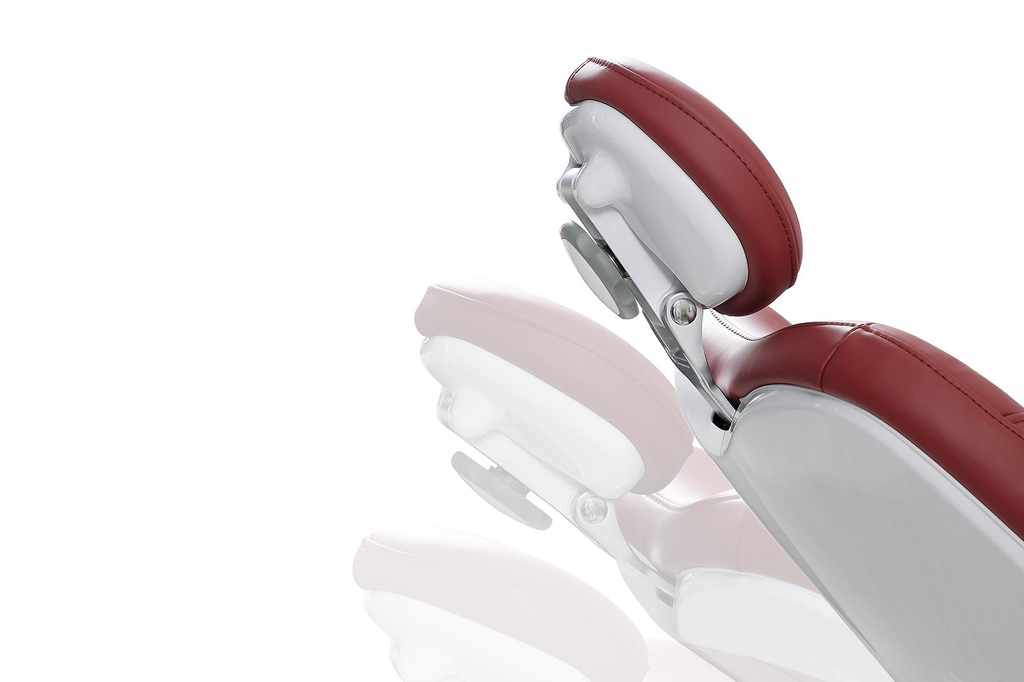
With the chair in several treatment positions, check space around the patient’s head, delivery system, instrument holders, and assistant-side controls. Confirm that the team can reach frequently used instruments without awkward repositioning.
Check:
- Headrest adjustment
- Transfer clearance
- Access to instruments and assistant controls
How to Compare Cleaning, Maintenance, and Support
Compare the maintenance process as carefully as the purchase specification. Dental unit waterlines can support biofilm growth because of narrow tubing, inconsistent flow, and stagnation. The CDC recommends treating dental unit water to meet the drinking-water benchmark of no more than 500 colony-forming units per millilitre and following the unit manufacturer’s maintenance guidance.
Cleaning procedures and after-sales service
Ask for written cleaning and disinfection instructions, including compatible products, contact times, waterline treatment, and testing frequency. Check which surfaces are accessible between patients. A built-in disinfection feature does not remove the need to follow instructions and monitor water quality.
Request:
- Cleaning schedule and compatible products
- Waterline testing protocol
- Service contact and parts arrangements
Compare component-specific warranties and confirm responsibility for installation, training, troubleshooting, parts, and local service. ROSON’s electric dental chair ownership cost guide explains why freight, installation, training, warranty coverage, and spare-parts arrangements belong in the quotation review. Its guide to dental chair problems can help buyers discuss basic troubleshooting and when a technician is needed.
Electric Dental Chair Comparison Checklist
Use one scorecard for every shortlisted model. Rate each item from 1 (poor fit) to 5 (clear fit), and record supporting evidence.
| Comparison area | What to verify | Score |
| Movement | Height, backrest, presets, smooth operation | 1–5 |
| Controls | Foot control, display, ease of use | 1–5 |
| Comfort and access | Headrest, transfer, team workspace | 1–5 |
| Cleaning | Surface care, waterline protocol, monitoring | 1–5 |
| Support | Warranty, parts, training, local service | 1–5 |
| Total cost | Included items, delivery, installation, upkeep | 1–5 |
ROSON S9 configuration example
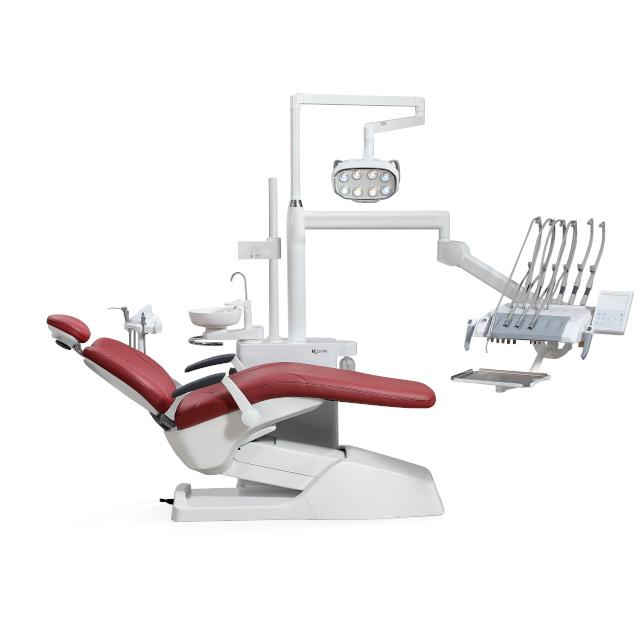
ROSON describes its Affordable Luxury Model S9 as an ergonomic dental unit with a 45-degree operation panel and three preset memory positions. The official product page also lists an anti-collision backrest, a one-key smart drainage function, an 8-tooth Smile Philips LED oral light, and a compact assistant unit. These are manufacturer-stated features. Buyers should check the actual configuration and test the relevant functions during a product demonstration before placing an order.
ROSON provides customizable configurations for the S9, allowing buyers to discuss the equipment setup according to their clinical requirements. Before ordering, distributors and clinics should request written confirmation of the warranty period for each major component, including the motor, upholstery, water and air pipelines, and dental light. Buyers considering an advanced dental chair should also confirm which features and accessories are included in the quoted configuration.
ISO 7494-1:2018 specifies requirements and test methods for stationary dental units and dental patient chairs, including instructions for use and technical descriptions. Request technical documents and check local rules; the standard’s existence does not prove model certification.
Before selecting a model, compare its movement range, controls, cleaning instructions, warranties, and replacement-part availability. Keep the findings with the supplier’s quotation to support a consistent, like-for-like evaluation.
Conclusion
An electric dental chair should be selected based on clinical requirements, movement performance, patient comfort, maintenance needs, and long-term support rather than purchase price alone. Clinics should test chair positioning, controls, patient access, and cleaning procedures before making a decision. Distributors should also compare warranty coverage, spare-parts availability, and manufacturer support to ensure they can serve customers after delivery.
ROSON S9 provides several features for buyers to evaluate, including a digital control display, three preset memory positions, a soft start/stop system, a backrest anti-collision system, and customizable configurations. These manufacturer-listed features can serve as reference points when comparing chair specifications. Before placing an order, buyers should confirm the selected configuration, applicable warranty terms, and service arrangements with ROSON. A structured comparison helps distributors and clinics choose a chair that meets their operational requirements and fits their budget.
About the Author