 EN
EN  ZH
ZH 
Boosting Clinic ROI with Efficient Operatory Design

Running a profitable dental clinic requires more than just clinical excellence; it demands rigorous operational efficiency. For clinic owners and practice managers, the dental operatory is not merely a treatment room—it is a production unit where time, ergonomics, and equipment reliability intersect to determine the bottom line. A poorly designed layout or an unreliable chair does not just frustrate staff; it actively bleeds revenue through accumulated minutes of lost time and increased fatigue.
Learn how a well-planned operatory, centered around a reliable dental chair, can reduce patient turnover time and increase daily appointments. We explore the direct impact of smart design on your clinic’s bottom line.
The Economics of Ergonomics: Beyond Comfort
In the high-throughput environment of a busy dental practice, ergonomics is a financial metric. The physical interaction between the clinician, the assistant, and the equipment defines the “motion economy” of the procedure. Every unnecessary reach, awkward twist, or delayed adjustment adds seconds to a procedure. Over a year, these seconds compound into hours of lost billable time.
The Hidden Cost of “Micro-Delays”
We often observe that clinics focus heavily on the purchase price of equipment but overlook the operational costs of its design. A chair that requires 30 seconds to reset to the zero position versus one that takes 10 seconds creates a 20-second drag per patient. In a high-volume clinic seeing 20 patients a day per chair, this seemingly trivial difference, combined with inefficient instrument placement, can result in 15–20 minutes of lost time daily—enough for one additional short consultation or emergency slot.
According to the ISO 13485:2016 – Quality Management Systems standard, medical devices must meet rigorous requirements for safety and efficacy. However, for the clinic owner, “efficacy” also implies that the equipment supports a streamlined workflow without mechanical interruption. Investing in equipment that adheres to these quality management standards minimizes the risk of downtime, which is the single biggest killer of ROI.
Durability as a Profit Driver
Reliability is the cornerstone of cost-effectiveness. A chair that requires frequent servicing disrupts the schedule and forces cancellations. When evaluating equipment, look for compliance with FDA 21 CFR Part 820 – Medical Device Regulations, which governs quality controls in manufacturing. Equipment built to these standards is designed to withstand the rigors of daily use, ensuring that your capital investment continues to generate revenue without unexpected maintenance costs. For a deeper understanding of this dynamic, read our analysis on How Chair Durability Impacts Your Clinic’s Financial Health.
Strategic Spatial Planning: The 9–12 m² Heuristic
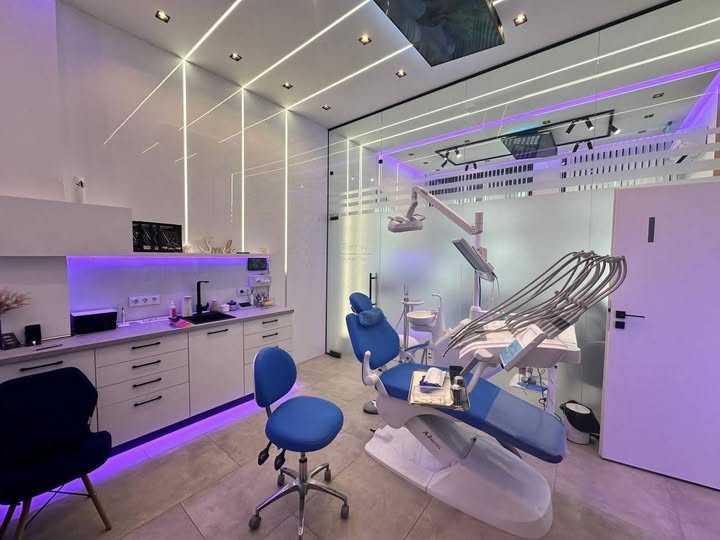
One of the most common misconceptions we encounter is that “bigger is better” for operatory size. In reality, excessive space increases travel time for the dental assistant and dentist, leading to fatigue and inefficiency. Through analyzing hundreds of clinic setups, we have found that an operatory size of 9–12 m² (approx. 95–130 sq. ft.) per single-chair unit usually balances patient comfort with optimal equipment access.
Critical Clearances for Workflow
To maintain a seamless workflow, specific clearance zones must be respected. If these zones are violated, staff members are forced to make awkward movements that slow down procedures.
- Clinician Zone: Maintain 1.2–1.5 m behind the headrest. This allows the dentist and the stool to move freely between the 9 o’clock and 12 o’clock positions without hitting cabinetry or walls.
- Assistant Zone: Ensure 0.9–1.2 m of lateral clearance on the assistant’s side. This space is critical for mobile instrument carts, suction lines, and the assistant’s stool.
- Patient Entry/Exit: The path to the chair must be unobstructed. A common mistake is placing the cuspidor or delivery unit in a way that blocks direct entry, adding 30-60 seconds to the seating process for elderly or less mobile patients.
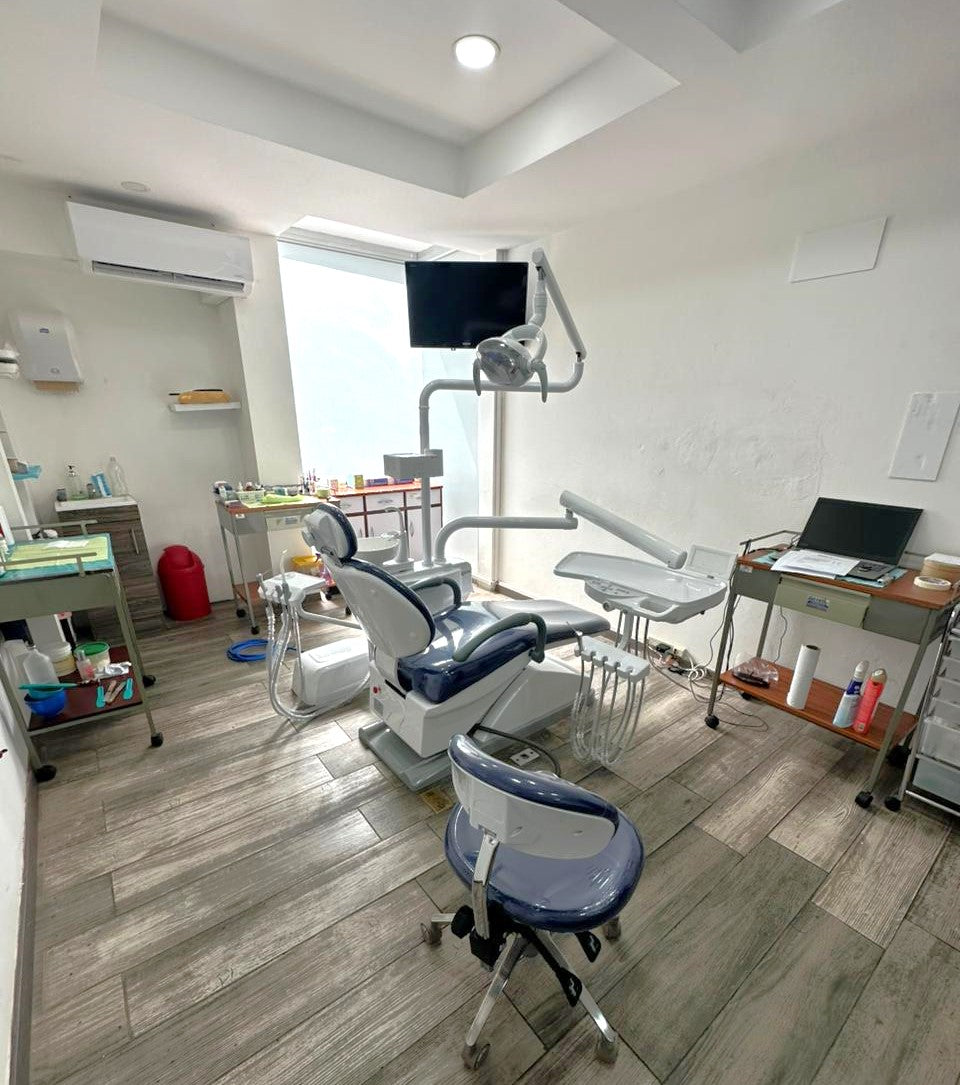
The Primary Reach Zone
Efficiency dictates that all high-frequency instruments should be within the “primary reach zone”—a radius of 30–45 cm from the operator’s resting hand position.
- Zone A (0-30 cm): Handpieces, air/water syringe, suction. These should be accessible without leaning or twisting the torso.
- Zone B (30-45 cm): Curing lights, bonding agents, frequently used burs.
- Zone C (>45 cm): Supply stock, less critical devices.
Placing high-use items within the first 30 cm cuts motion time significantly. If a dentist has to lean forward 100 times a day to reach a curing light, they are not only wasting time but also inviting lower back strain.
Optimizing the Dental Chair Integration
The dental chair is the anchor of the operatory. Its specifications directly influence the room’s layout and the team’s efficiency. When selecting a chair, verify that it meets the safety and performance requirements outlined in the EU MDR – Medical Device Regulation, particularly if you are operating in or sourcing for markets that align with European standards.
Adjustment Ranges and Patient Accommodation
A versatile chair must accommodate a wide demographic range, from children to tall adults.
- Seat Height: A range of ~420–480 mm is standard. This allows the dentist to sit with thighs parallel to the floor (the most ergonomic position) while keeping the patient’s mouth at elbow height.
- Backrest Recline: A recline range of ~150–165° supports most adult procedures, allowing for a supine position that maximizes visibility for the dentist while maintaining patient comfort.
- Headrest: Ensure the headrest is double-articulating. This is vital for pediatric cases or patients with kyphosis, where a standard flat headrest would make treatment impossible or extremely uncomfortable.
For more details on selecting versatile equipment, see our guide on The ROI of an Accessible Dental Chair in Your Practice.
Turnover Savings: The 2-5 Minute Advantage
We have consistently found that practical retrofits and smart chair positioning can reduce turnover time by 2–5 minutes per patient.
- Mobile Trays: Using mobile instrument trays that can be pre-stocked and rolled in allows the assistant to turn over the room while the patient is checking out.
- Standardized Kits: Implementing standardized tub and cassette systems means the setup for a Class II restoration is identical in every room, reducing the “hunting and gathering” time.
- Chair Presets: Programmable chair positions (entry/exit, treatment, rinse) allow the assistant to reset the room with a single button press while wiping down surfaces.
In an 8-hour day, saving 4 minutes per patient across 10 patients yields 40 minutes—enough for two additional hygiene checks or one emergency extraction.
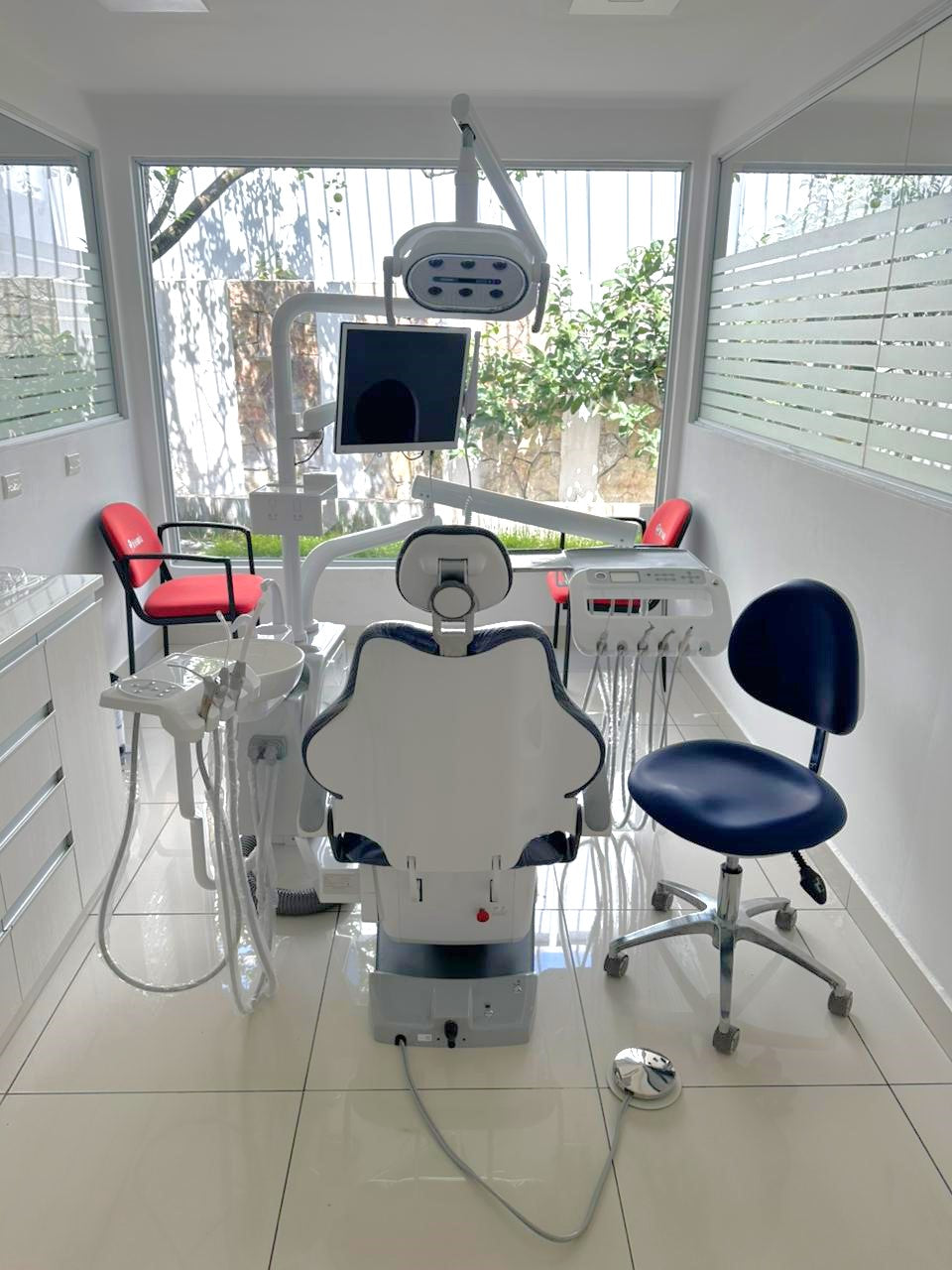
Utility Planning and Infrastructure
Behind the sleek aesthetics of a modern operatory lies the complex network of utilities. Poor planning here leads to visible cabling (a hygiene trap), difficult maintenance access, and costly downtime.
Routing for Hygiene and Aesthetics
Route compressed air, water, and waste lines through floor boxes or designated wall channels to minimize visible cabling. Exposed cables are difficult to clean and can harbor pathogens, complicating adherence to strict hygiene protocols. Furthermore, a “clean floor” policy reduces tripping hazards and allows the operator’s stool to glide without obstruction.
The Service Zone
Designate a service zone for easy access to the compressor and suction motor. A common error is burying these critical components behind heavy cabinetry or in a hard-to-reach closet. When a compressor fails, the repair technician needs immediate access. If they have to dismantle a cabinet to reach the unit, a 1-hour repair turns into a half-day shutdown.
For insights on integrating these elements cost-effectively, refer to Cost-Effective Dental Chair Integration Strategies.
Debunking Common Myths in Operatory Design
In our work with clinic owners, we frequently encounter persistent myths that lead to sub-optimal designs.
Myth: “Centralizing all cabinetry is the most efficient storage method.”
Reality: While central sterilization is best practice, centralizing operatory supplies creates bottlenecks. If an assistant has to leave the room to get a composite compule, the procedure halts.
Correct Approach: Use a “just-in-time” inventory system within the operatory. Keep a 2-3 day supply of high-use consumables in the room’s mobile carts or side cabinets.
Myth: “Standard layouts work for everyone.”
Reality: Ignoring staff handedness is a critical error. A room designed for a right-handed dentist will be ergonomically disastrous for a left-handed associate.
Correct Approach: Install ambidextrous delivery units or design specific “left-handed” operatories if your staff mix requires it. Ambidextrous units (swing-arm delivery) offer the highest flexibility for multi-user clinics.
Checklist: Operatory Commissioning
Before declaring a new or renovated operatory “open for business,” run this commissioning pilot.
| Checkpoint | Action Item | Success Criteria |
|---|---|---|
| Clearance Test | Move stool through full range of motion (9-12 o’clock). | No collision with walls, cabinets, or assistant’s zone. |
| Reach Test | Sit in operator position; reach for handpiece and suction. | Should be within 30-45 cm without torso twisting. |
| Patient Flow | Simulate patient entry/exit with a wheelchair or walker. | Path is clear; armrest moves easily for access. |
| Utility Load | Run high-speed handpiece and suction simultaneously. | No drop in pressure; compressor recovery is normal. |
| Lighting | Adjust overhead light to oral cavity height. | No shadows from clinician’s head; light maintains focus. |
Wrapping Up
Efficient operatory design is not about luxury; it is about the disciplined removal of friction. By adhering to the 9–12 m² heuristic, respecting critical clearance zones, and selecting durable, compliant equipment, you transform your dental chair from a simple seat into a high-performance operational hub.
Focus on the measurable metrics: minutes saved per turnover, reduction in reach distances, and equipment uptime. These are the levers that drive clinic ROI. As you refine your clinic’s layout, remember that the goal is a seamless integration of technology and human workflow, ensuring that your practice runs as reliably as the equipment you choose.
Frequently Asked Questions (FAQ)
Q: What is the ideal size for a single dental operatory?
A: We recommend between 9 and 12 square meters (approx. 95–130 sq. ft.). This provides enough space for the dental team to move ergonomically without the inefficiencies caused by excessive floor space.
Q: How much clearance is needed behind the dental chair?
A: You should plan for 1.2 to 1.5 meters behind the headrest. This allows the dentist to move freely between working positions without colliding with rear cabinetry or walls.
Q: Why is ISO 13485 certification important for dental chairs?
A: ISO 13485 certification indicates that the manufacturer follows a rigorous quality management system. For clinic owners, this translates to better equipment reliability, safety, and consistent performance, which protects your investment.
Q: Can optimizing operatory layout really save money?
A: Yes. By reducing turnover time by just 2-5 minutes per patient through better layout and preset workflows, a clinic can often accommodate 1-2 additional appointments per day, significantly boosting daily revenue.
Q: What is the most common mistake in operatory utility planning?
A: The most common mistake is poor access to service zones (compressors/suction) and routing cables across the floor. This increases downtime during repairs and creates hygiene and tripping hazards.
About the Author