 EN
EN  ZH
ZH 
Integrated vs. Standalone Tech in Dental Clinics

Integrated vs. Standalone Tech: Choosing the Right Path for Your Clinic
Should you invest in a fully integrated dental chair with all the technology built-in, or purchase standalone equipment as you go? This is one of the most critical decisions a clinic owner or procurement manager faces. The choice has long-term implications for your budget, workflow efficiency, and even your team’s physical well-being. This article offers a direct comparison of the two approaches, analyzing factors like cost, workflow, space utilization, and long-term reliability to help you make the right choice for your clinic.
In short, while fully integrated systems promise ultimate efficiency, a modular and well-planned approach often delivers superior long-term value and adaptability. The key is to balance day-one convenience with future-proof design.
Defining the Approaches: Integrated vs. Standalone
First, let’s clarify the terminology. An integrated dental unit is a system where technologies like monitors, intraoral cameras, ultrasonic scalers, and handpieces are built directly into the dental chair or its attached delivery system. A standalone approach, by contrast, involves using independent technology, such as monitors on wall mounts, mobile carts for specific devices, and separate control units.
Here’s how they stack up at a glance:
| Feature | Integrated System | Standalone Approach |
|---|---|---|
| Upfront Cost | Generally Higher | Lower Initial Investment |
| Clinic Footprint | More Compact & Cleaner Look | Can Be Cluttered, Requires More Space |
| Workflow | Highly Streamlined, Fewer Transfers | Less Centralized, More Movement |
| Upgradability | Can be Difficult & Costly | Simple & Flexible |
| Maintenance | Single Point of Contact, but Complex | Multiple Vendors, Simpler Repairs |
| Ergonomics | Potentially Excellent (if well-designed) | Requires Careful Planning |
The Critical Impact on Workflow and Ergonomics
Efficiency in a dental practice is measured in minutes. An optimized workflow doesn’t just mean faster procedures; it means less stress, fewer physical strains, and smoother patient handoffs. This is where the debate over integration becomes most compelling.
An integrated chair is designed to be the central hub of the operatory. In my experience, when monitors and handpiece controls are within a 40–60 cm reach envelope, practitioners can see a significant reduction in chair-side turnover time—roughly 10–20% for medium-complexity procedures. This is because you eliminate the small but cumulative delays of reaching for a separate cart, repositioning a monitor, or untangling cords. Everything is exactly where you expect it to be. You can learn more about this in our guide on How Ergonomic Dental Chairs Boost Clinic Productivity.
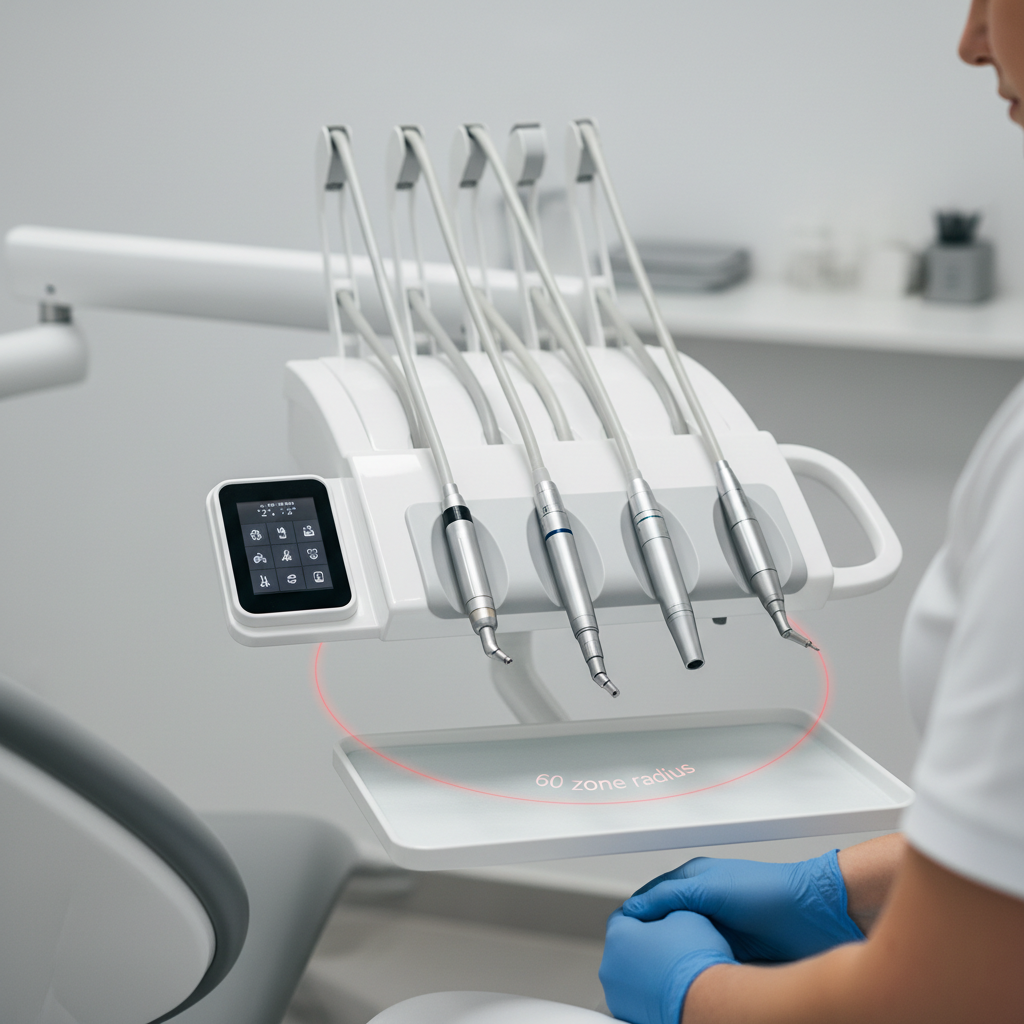
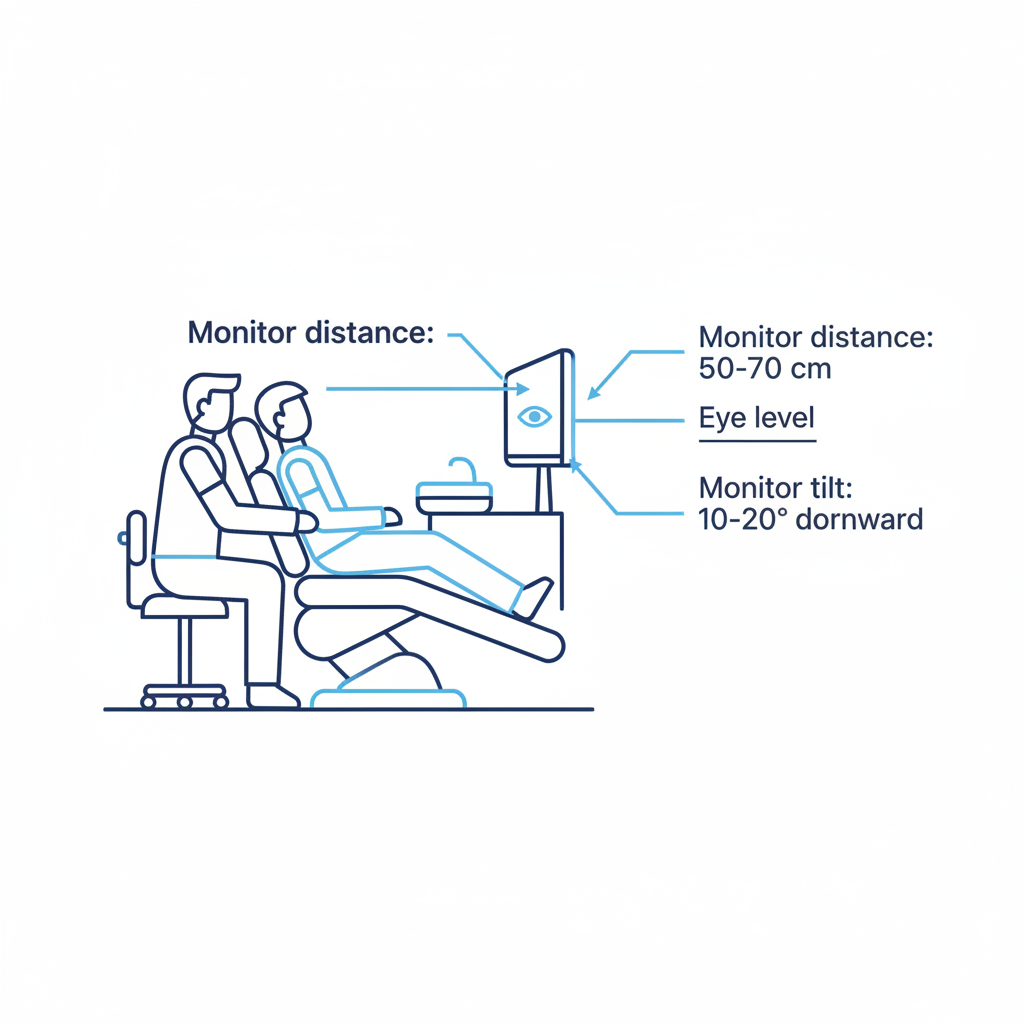
However, these benefits are not automatic. A common mistake I see is assuming any integrated chair is inherently ergonomic. If the monitor placement isn’t right, it can cause significant issues. I once worked in a clinic where a new, expensive integrated unit caused persistent neck strain for two of our dentists by 3 PM every day. The culprit? The monitor was fixed just two inches too low, forcing a constant downward gaze. For optimal posture, the monitor should be 50–70 cm from your eyes with a 10–20° downward tilt, keeping the top line of text at or slightly below eye level. Achieving this balance is fundamental to practitioner health, a topic we explore further in The Key to a Healthy Dental Career: Chair Ergonomics.
Debunking a Common Myth: “Full Integration Is Always Better”
A prevalent myth is that maximum integration is the ultimate goal. The thinking is that an all-in-one unit from a single manufacturer simplifies everything from purchasing to maintenance. In reality, this can be a trap. Over-integrating with proprietary, fixed mounts can block future upgrades, locking you into a single vendor’s ecosystem. If a new, superior intraoral scanner comes to market, you may not be able to add it to your chair.
The more experienced approach is to prioritize modularity. Look for chairs with standard VESA mounts for monitors and flexible conduits for routing cables from third-party devices. This gives you the clean aesthetic and workflow benefits of integration without sacrificing the freedom to choose the best technology for the job. This strategy is central to making smart investments, as detailed in our article on Cost-Effective Dental Chair Integration Strategies.
Financial and Operational Realities
When evaluating the cost, you must look beyond the initial purchase price and consider the Total Cost of Ownership (TCO). A standalone approach may have a lower entry cost, but it can lead to a cluttered operatory that feels unprofessional and is inefficient to work in.
Conversely, a highly integrated system might have a steep initial cost and hidden long-term expenses. Before signing a purchase order, ask about service access. I’ve seen beautiful, custom-built operatories where the chair was installed so close to the wall that a simple repair on a power panel required a full day of de-installation. As a rule of thumb, always leave 100–150 mm of clearance behind power and utility panels. Likewise, ensure any built-in motors or compressors have adequate ventilation to prevent premature overheating, a key factor in ensuring equipment longevity. The financial impact of these decisions is covered in-depth in How Chair Durability Impacts Your Clinic’s Financial Health.
From a maintenance perspective, it’s wise to stock 1–2 of each high-wear spare part (like handpiece hoses, footswitches, and solenoid valves) for every five chairs in your clinic. Furthermore, plan for a 12–24 month refresh window for core electronic components to avoid obsolescence.
Regardless of your choice, all equipment must meet stringent regulatory standards. For example, a quality management system compliant with ISO 13485:2016 is a global benchmark for medical device manufacturing. In the United States, devices must comply with the FDA’s 21 CFR Part 820, while entry into the European market requires adherence to the EU Medical Device Regulation (MDR). These regulations ensure that devices are designed, manufactured, and monitored for safety and performance.
A Practical Framework for Your Decision
To choose the right path, move beyond a simple “pro vs. con” list and analyze your clinic’s unique operational needs. Use the following checklist to guide your decision-making process.
Checklist for Operatory Planning:
- Analyze Your Core Procedures: What are the most common treatments you perform? List the technologies required for each (e.g., imaging, scaling, endodontics).
- Map Your Ideal Workflow: Who needs access to which tools and when? Consider the movements of both the dentist and the assistant. Is your practice right-handed, left-handed, or does it require an ambidextrous solution? For more on this, see our guide on Ambidextrous Layouts: A Flexible Clinic Solution.
- Measure Your Physical Space: Account for every centimeter. Plan for service access, ventilation, and clear pathways for staff and patients.
- Define Your 5-Year Technology Roadmap: What technology do you need today? What might you want to add in the next three to five years? Your choice should not limit your future growth.
- Prioritize Modularity: Ask vendors about their mounting options. Are they standard? Can components be easily replaced or upgraded without replacing the entire chair?
Wrapping Up: Your Clinic, Your Choice
There is no single “best” answer in the integrated vs. standalone debate. The right choice is the one that best aligns with your clinic’s specific goals, workflows, and budget.
- Integrated systems offer a streamlined workflow, a smaller footprint, and a modern aesthetic. They are often ideal for new builds or high-volume clinics where efficiency is paramount.
- Standalone systems provide flexibility, lower initial costs, and simpler upgradability. They can be a practical choice for clinics on a tight budget or those with highly specialized technological needs.
Ultimately, the most strategic investment is often a hybrid: a modular integrated chair that provides core functionality while offering the flexibility to add or upgrade standalone technologies over time. By focusing on ergonomic design, serviceability, and a clear technology roadmap, you can build an operatory that is productive, profitable, and prepared for the future.
Disclaimer: This article is for informational purposes only and does not constitute professional medical, financial, or ergonomic advice. Clinic owners and practitioners should consult with qualified equipment specialists and financial advisors to determine the best solutions for their specific needs. Always ensure that any equipment purchased complies with local and national regulatory standards.
References
About the Author